Generate an Invoice Number in Koha automatically
Change some of the below table Settings.
Go to: Home/Administration/Global system preferences (Search on "AutoCreditNumber")


Change to (Automatically generate credit number in the form <year> - 0001)

Save all accounting preferences.
Above the "AutoCredits Number" same option click on the below "Configure credit types". and
Search on "Payment" and Change to credit number enabled option No to Yes.

Go to: Home/Koha administration/ Additional fields/Table settings/Patrons

Check and uncheck the credit number.
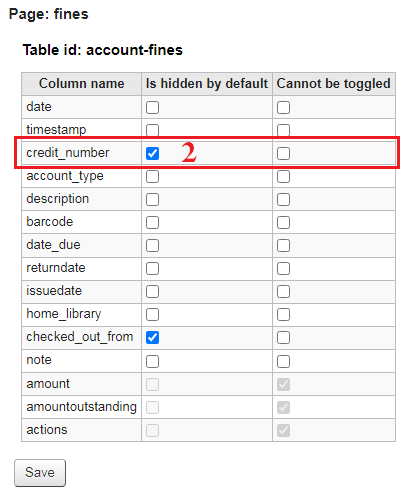
Uncheck the credit number.

After you pay the payment amount, you will see the accounting transaction receipt number details and email receipt which will contain the receipt number.
Accounting Transaction.

Email Receipt


No comments:
Post a Comment